People with ADHD don’t need more information — they need structured, step-by-step guidance that helps them consistently start and stick with the things they know they should do.
The ADHD Dojo teaches reliable regulation — practical skills and systems for follow-through, focus, and emotional control.
What The Dojo Teaches

What You’ll Learn
How to start tasks without overwhelm
How to stick with routines when motivation drops
How to regulate emotions and attention
How to reduce friction, chaos, and inconsistency
How to build systems that actually work with ADHD
Why The Dojo Works
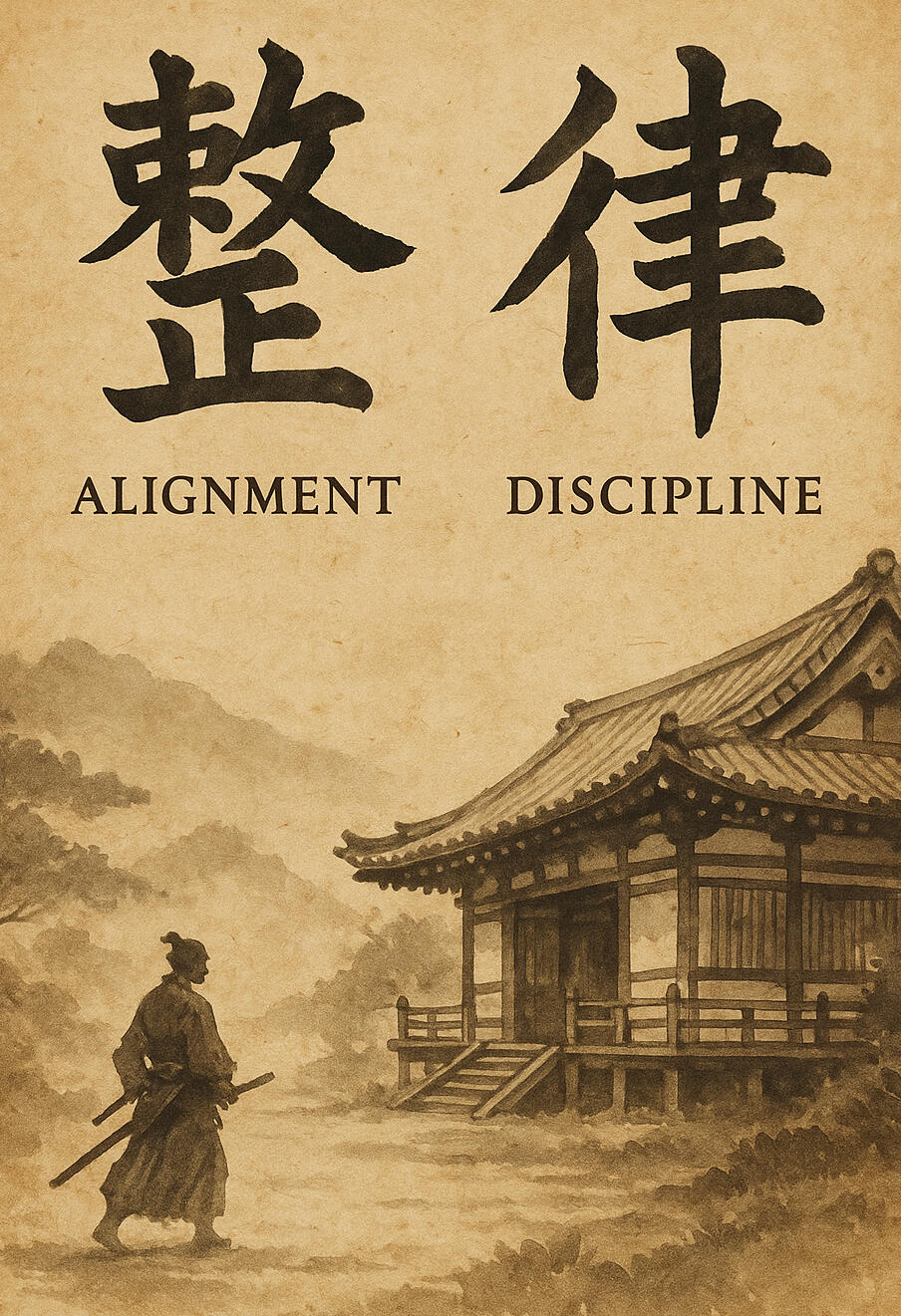
Not Hacks. Not Motivation. Not More Information.
Structured Guidance
Step-by-step training that shows how to execute, not just what to do.
Reliable Regulation
Tools for consistency, emotional balance, and follow-through.
Real Support
A dojo — not a course. Accountability, community, and practical help.
Who This Is For
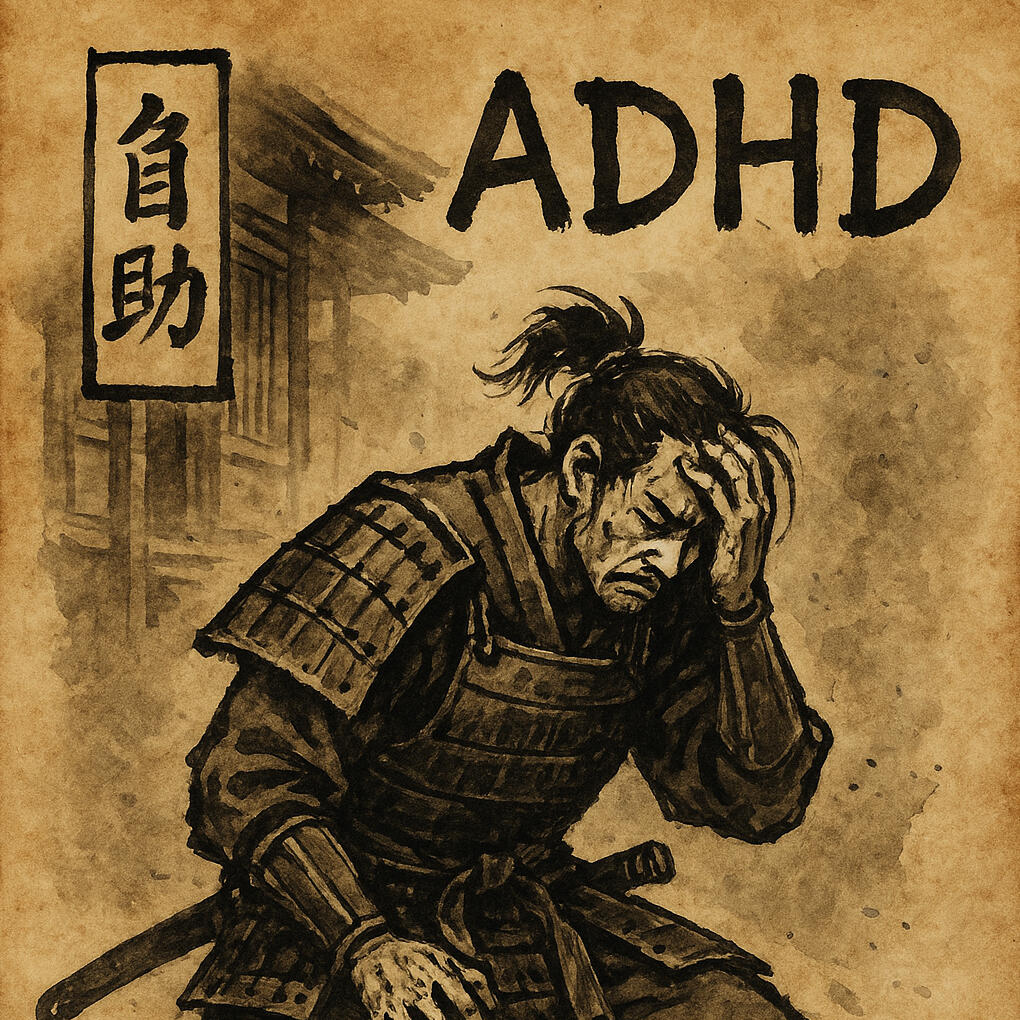
For People Who Struggle With:
Starting tasks
Sticking with routines
Feeling overwhelmed
Forgetting priorities
Feeling “behind” or “not normal”Knowing what to do but never doing it
Enter The Dojo
Structured support. Real guidance. A place to finally start and stick with the things you know you should do.
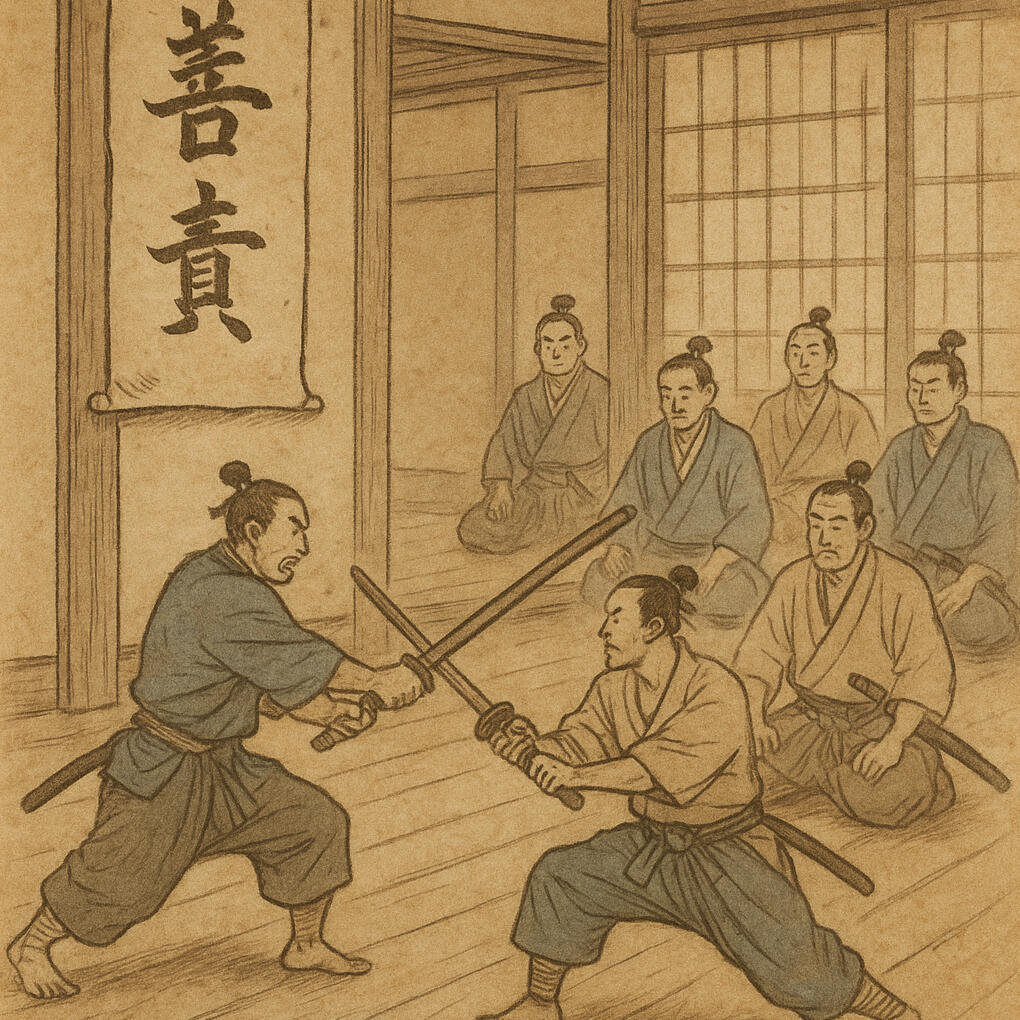
Inside the Dojo, You’ll Get:
A supportive community of people who “get it”
Practical guidance as the Dojo training is built
Early access to systems & tools for ADHD regulation
A place to ask questions and get answers
Accountability check-ins
Progress logs
Dojo announcements
First access to future lessons & beta training
Why Join Now (As a Founding Member):
You get early access to the system before it’s public
Your feedback shapes the dojo
You’ll help build the culture from day one
You’ll get first access to exercises and training trials
You’re part of the founding circle of the dojo
What’s Coming Soon:
The Reliable Regulation Framework
Step-by-step execution training
Dojo rituals and practice cards
ADHD follow-through tools
Troubleshooting system
Skill-paths and dojo ranks
Video lessons and worksheets
Start Your Training
Join the ADHD Dojo community and get early access to training, tools, and support.
The Core SkillThe skill is switching between thinking and doing.Most people struggle not because they can’t think or act—
but because they can’t switch between the two.
The LoopThought → Action → Visible ResultThis is the smallest unit of progress.Think just enough.
Act immediately.
Make something real.
THE TWO SWORDS
Short Sword = ThinkingLong Sword = DoingTrain both.But more importantly, train switching between them.Use each according to the situation.
THE FORGEThis is where ideas are turned into something real.The Forge is for building, testing, and refining.Nothing here needs to be perfect. It only needs to exist.Every block below is a rep. Every rep makes the system stronger.
FORGE RULEThink → Build → See it existDo not overthink.
Do not redesign.Build → Observe → Refine
EXPERIMENT 01 — THINK BEFORE REVEALPurpose: Train the pause before actionFocus: Thinking → Decision → Action
PromptWhat is the smallest action you can take right now?Build one small thing on your dojo site right now.
EXPERIMENT 02 — SPACING TESTPurpose: Compare line breaks and spacing behaviorsFocus: Readability vs controlTest each section below and observe how it renders.
Line Break CommandLine one
Line twoNon-breaking space test:Short Sword
Long Sword
EXPERIMENT 03 — DOJO PANELPurpose: Build a reusable dojo content panelFocus: Structure, spacing, readabilityThis block will be reused across The Way, Training, and future dashboards.
EXPERIMENT 04 — TWO SWORDS LAYOUTPurpose: Visually represent the dual system (Thinking vs Doing)Focus: Separation, clarity, and balanceThinking ↔ DoingThis experiment tests a split layout that represents the two swords.Each side should feel:
- distinct
- equal
- complementaryThe goal is not just visual—it is conceptual.This layout should make it obvious:You are not choosing one.
You are learning to use both.TestDoes each side feel clear on its own?Does the layout make the relationship obvious?Would this help someone understand the system instantly?
EXPERIMENT 05 — DOJO WISDOM (CALLOUT)Purpose: Highlight key principles and insightsFocus: Emphasis, clarity, and attentionPrinciple → Emphasis → ReflectionThis component is used to isolate important ideas.It should feel:
- distinct from normal content
- easy to notice
- easy to rememberThe goal is to create moments of pause.TestDoes it draw your attention immediately?Does it feel like something worth remembering?Would you naturally stop and reflect on it?
EXPERIMENT 06 — STACKED TRAINING BLOCKPurpose: Break a process into clear, sequential stepsFocus: Structure, flow, and usabilityStep → Step → StepThis component represents a training sequence.Each step should feel:
- simple
- actionable
- connected to the nextThe goal is to guide action without confusion.TestCan you follow the steps without thinking too hard?Does each step feel clear and actionable?Does the sequence feel natural from start to finish?
EXPERIMENT 07 — TRAINING FLOW (LOOP BLOCK)Purpose: Represent the thinking → doing loopFocus: Rhythm, clarity, and repetitionThought → Action → ResultThis component represents the core training loop.It should feel:
- continuous
- repeatable
- easy to executeThe goal is to reinforce rhythm.TestDoes the loop feel intuitive?Can you imagine repeating it immediately?Does it clearly represent the process of progress?
EXPERIMENT 08 — PROGRESS BARPurpose: Visualize progress and developmentFocus: clarity, motivation, and feedbackStart → Progress → CompletionThis component represents growth over time.It should feel:
- simple
- informative
- motivatingThe goal is to make progress visible.TestIs the progress easy to understand at a glance?Does it feel motivating or neutral?Would this help track real development?
EXPERIMENT 09 — FORGE GRIDPurpose: Organize multiple components or experiments visuallyFocus: structure, spacing, and layoutBlock + Block + BlockThis component represents a workspace.It should feel:
- organized
- modular
- expandableThe goal is to display multiple elements without clutter.TestDoes the layout feel clean or crowded?Can you easily distinguish each block?Does it feel like a system rather than a list?
EXPERIMENT 10 — ACTION CARDPurpose: Convert thinking into immediate action
Focus: Clarity, simplicity, executionIdea → ActionThis component removes ambiguity.It should answer:“What do I do right now?”
EXPERIMENT 11 — SWITCH TRIGGERPurpose: Train switching between modesFocus: Awareness and timingThinking → Switch → DoingThis component creates a deliberate transition.
EXPERIMENT 12 — MINIMAL DASHBOARDPurpose: Show only what matters right nowFocus: clarity, reduction of overwhelmNow → Next → LaterThis component removes noise.
EXPERIMENT 13 — LOCKED STATEPurpose: Represent progression and requirementsFocus: clarity and constraintLocked → Unlock → AdvanceThis component enforces progression.
EXPERIMENT 14 — REFLECTION BLOCKPurpose: Capture feedback after actionFocus: awareness and refinementAction → Reflection → AdjustmentThis component closes the loop.
EXPERIMENT 15 — QUEST STATUS PANELPurpose: Visualize quest progression and status
Focus: clarity, motivation, and state awarenessLocked → Available → Active → In Progress → CompleteEach quest should clearly communicate its current state.The goal is to see what to do next instantly.
EXPERIMENT 16 — QUEST PAGE MOCKUPPurpose: Build a full quest page interface for the dojo
Focus: orientation, action, and quest flowContext → Active Quest → Next Action → Procedure → ProgressionThis component is meant to function like an operational quest screen.It should:
- orient the user quickly
- show the current active quest clearly
- make the next action obvious
- connect the current quest to the larger arcThe goal is to reduce friction between understanding and action.TestCan you tell what the active quest is immediately?Can you see the next action without hunting for it?Does the page feel like a real operational dojo screen?
EXPERIMENT 17 — CLICKABLE QUEST PROGRESSPurpose: Test interactive quest trackingFocus: progress visibility, task completion, and feedbackTask → Click → Progress UpdatesThis experiment tests a simple interactive quest tracker.Each task represents a section of the Earth Scroll line edit.When a section is clicked:
- its status changes
- the progress bar updates
- visible progress becomes immediateThe goal is to make completion feel tangible.TestDoes clicking feel satisfying?Is progress clear at a glance?Would this make quest work easier to follow?
EXPERIMENT 18 — QUEST SNAPSHOT PANELPurpose: Provide instant orientation and action
Focus: clarity, context, and executionWhere am I → What matters → What do I doThis component compresses the quest into a single view.It should eliminate:
- confusion
- hesitation
- searchingThe goal is immediate clarity and action.TestCan you understand the situation in under 5 seconds?Can you act without thinking further?Does this remove the need to search the page?
EXPERIMENT 18B — QUEST SNAPSHOT PANEL (FORK)Purpose: Compress the quest into a clear operational view
Focus: orientation, next action, and executionSee → Decide → ActThis version emphasizes immediacy.It should:
- reduce reading
- increase clarity
- direct action instantlyThe goal is to eliminate hesitation.TestCan you act immediately after reading?Does anything feel unnecessary?Is the next step unmistakably clear?
EXPERIMENT 19 — SINGLE ACTIVE QUEST SYSTEMPurpose: Enforce focus by allowing only one active quest at a time
Focus: commitment, clarity, and constraintChoose → Commit → FocusThis component trains deliberate selection.Only one quest can be active at a time.The goal is to reduce split attention and make the current focus unmistakably clear.TestDoes the active quest stand out immediately?Does switching feel intentional?Would this help reduce scattered effort?
EXPERIMENT 20 — NEXT ACTION AUTO-UPDATEPurpose: Automatically update the next step as tasks are completed
Focus: momentum, continuity, and reduced decision fatigueComplete → AdvanceThis component moves the system forward automatically.When a task is completed, the next action updates.The goal is to keep progress moving without rethinking what comes next.TestDoes the next action update clearly?Does it feel easier to continue?Would this reduce hesitation between steps?
EXPERIMENT 21 — QUEST MODE SWITCH (THINK / DO)Purpose: Train switching between thinking mode and doing modeFocus: mode awareness, transition, and intentionalityThink ↔ DoThis component makes the two swords explicit.Think Mode shows planning-oriented information.Do Mode shows execution-oriented information.The goal is to practice switching on purpose.TestDoes each mode feel distinct?Does switching help reduce confusion?Would this help you move out of overthinking?
EXPERIMENT 22 — TIMEBOX / POMODORO TRACKERPurpose: Track focused work reps and make time visibleFocus: rhythm, effort, and session completionStart → Work → CompleteThis component represents a single focused rep.The goal is to make effort measurable and reinforce repeatable work sessions.TestDoes starting feel simple?Does the session feel bounded?Would this help you trust small reps?
EXPERIMENT 23 — QUEST REWARD FEEDBACKPurpose: Reinforce completion with visible reward feedbackFocus: motivation, recognition, and completionComplete → Reward → ReinforceThis component celebrates finished work.The goal is to make completion feel tangible and rewarding.TestDoes completion feel more satisfying?Does the reward message matter?Would this help reinforce follow-through?
EXPERIMENT 24 — UNIFIED QUEST MODULEPurpose: Combine the core quest systems into a single operational component
Focus: clarity, progression, action, and feedbackQuest → Task → Progress → Next Action → CompletionThis component unifies the dojo quest loop into one module.It should:
- show the active quest clearly
- make progress visible
- update the next action automatically
- reinforce completionThe goal is to reduce friction and create a real sense of guided movement.TestCan you tell what the quest is immediately?Does the next action stay clear as tasks are completed?Does the module feel like something you would actually use every day?
EXPERIMENT 25 — UNIFIED QUEST MODULE WITH ONE ACTIVE TASKPurpose: Focus attention on a single current task within the quest
Focus: clarity, sequence, and commitmentQuest → Active Task → ProgressThis component extends the unified quest module by enforcing one active task.Only one incomplete task should be highlighted as the current focus.The goal is to reduce scattered attention and make the next move obvious.TestDoes the active task stand out immediately?Does the task flow feel more directed?Would this make it easier to stay focused on one thing at a time?
EXPERIMENT 26 — COLLAPSIBLE QUEST DETAILSPurpose: Hide supporting details until needed
Focus: clarity, density reduction, and optional depthSee core → Expand details → Return to actionThis component keeps the main interface clean while preserving deeper support.The goal is to reduce clutter without losing useful information.TestDoes the page feel lighter with details hidden?Is it still easy to access notes, rewards, and requirements?Would this help keep the quest page focused?
EXPERIMENT 27 — SKILL TREE NODE PANELPurpose: Represent a skill path with nodes, states, and progression
Focus: visibility, hierarchy, and growthLocked → Available → Active → CompleteThis component turns skills into a visible progression path.The goal is to make development feel structured and game-like.TestCan you tell what is locked, what is available, and what is active?Does the progression path feel motivating?Would this help make growth more visible?
EXPERIMENT 28 — HUB PAGE MODULEPurpose: Create a central command view for the dojo
Focus: orientation, current focus, and visible progressSee → Select → ActThis component functions like a game hub.It should show:
- what matters now
- where to go next
- what progress is visibleThe goal is to create one screen that reorients the user instantly.TestCan you understand your current situation immediately?Does the hub reduce searching?Would this work as a daily starting page?
EXPERIMENT 29 — INTERACTIVE HUB SCREENPurpose: Create a central interactive command screen for the dojo
Focus: orientation, navigation, and immediate actionSee → Select → Focus → ActThis component turns the hub into a live control screen.It should:
- show the current state clearly
- allow focus to shift intentionally
- update visible information
- reduce searching and hesitationThe goal is to create a daily starting point that guides action immediately.TestCan you tell what matters right now in a few seconds?Does clicking different panels feel clear and useful?Would this work as your real starting screen each day?
EXPERIMENT 30 — BELT / STRIPE TRACKER WITH SHU-HA-RI STATESPurpose: Visualize progression through belts, stripes, and Shu-Ha-Ri stages
Focus: development, visibility, and recursive skill trackingBelt → Stripe → Shu / Ha / RiThis component represents growth through structured progression.Belts represent broader levels of complexity.
Stripes represent individual skills or loops.
Shu-Ha-Ri represents the depth of mastery within each skill.The goal is to make development visible and trackable at multiple levels.TestCan you tell what level you are at immediately?Does the relationship between belts, stripes, and Shu-Ha-Ri make sense?Would this help track real growth without confusion?
EXPERIMENT 31 — INTERACTIVE BELT / STRIPE TRACKERPurpose: Make belt, stripe, and Shu-Ha-Ri progression interactive
Focus: visibility, progression, and mastery trackingBelt → Stripe → Shu / Ha / RiThis component turns progression into an interactive system.Clicking a stripe should update:
- the selected skill
- its current stage
- the progression summaryThe goal is to make growth feel visible and navigable.TestCan you understand the current progression state quickly?Does clicking between stripes feel useful?Would this help track real development over time?
EXPERIMENT 32 — FULL GAME HUBPurpose: Combine core dojo systems into one central operational screen
Focus: orientation, focus, progression, and actionHub → Active Quest → Progress → GrowthThis component acts as the central game hub.It should pull together:
- current focus
- active quest
- progress state
- belt / stripe development
- next actionThe goal is to create one screen that feels like the real command center of the dojo.TestCan you orient yourself immediately?Does the hub reduce searching and confusion?Would this work as your daily startup page?
EXPERIMENT 33 — CHARACTER SHEETPurpose: Represent the user as a progressing character within the dojo
Focus: identity, strengths, bottlenecks, and progression stateCharacter → Role → Stats → BottlenecksThis component turns the user into a visible player-character.It should show:
- current role
- current belt
- strengths
- active bottlenecks
- current missionThe goal is to make identity and growth feel embodied.TestDoes this feel motivating or gimmicky?Does it make your current state easier to understand?Would this help reinforce identity-based growth?
EXPERIMENT 34 — INTERACTIVE CHARACTER SHEETPurpose: Make the character sheet interactive and actionable
Focus: identity, bottlenecks, strengths, and recommended actionIdentity → Diagnosis → RecommendationThis component turns the character sheet into an active guidance tool.Clicking a strength or bottleneck should update the guidance panel.The goal is to connect self-understanding directly to action.TestDoes clicking the traits feel useful?Does the recommendation feel specific and relevant?Would this help translate identity into training decisions?
EXPERIMENT 35 — FULL DOJO NAVIGATION SHELLPurpose: Create a persistent app-like shell for the dojo
Focus: navigation, consistency, and environmental feelNavigate → Orient → EnterThis component gives the dojo a unified shell.It should feel less like isolated pages and more like one connected environment.The goal is to create the sense of moving through one coherent dojo system.TestDoes this feel more like an app than a page?Does the navigation feel clear and grounded?Would this help the dojo feel more real and unified?
EXPERIMENT 36 — DAILY QUEST CARDPurpose: Create a single focused card for today’s mission
Focus: simplicity, constraint, and immediate executionToday → One Mission → One RepThis component strips everything down to one daily mission.It should:
- remove overwhelm
- make one objective visible
- support immediate actionThe goal is to make the day feel conquerable.TestDoes this reduce complexity enough?Does it make the day feel more manageable?Would this help you start faster?
EXPERIMENT 37 — MEDIEVAL QUEST LOG SHELLPurpose: Test a more immersive, game-like quest log interface
Focus: atmosphere, hierarchy, and operational layoutFrame → Orient → Track → ActThis component explores a more stylized quest page.It combines:
- a saga column
- an active quest center panel
- an arc progression column
- a bottom navigation barThe goal is to see whether a more immersive visual shell improves clarity, motivation, and the feeling of entering a real dojo environment.What this experiment is testing- Can a more atmospheric design still remain readable?
- Does the three-column layout improve orientation?
- Does the central quest card feel like a real operational screen?
- Does the interface strengthen the “dojo” feeling without becoming cluttered?What to watch for- readability on desktop and mobile
- whether the side columns help or distract
- whether the parchment center feels useful or just decorative
- whether the overall shell feels exciting, grounded, and usableImportant noteThis is a larger component than previous experiments.The purpose here is not just function.
It is also to test visual identity, immersion, and whether a richer shell supports the way of training.If it works, it can become a foundation for future dojo screens.
If it feels too heavy, it may need to be simplified into smaller modules.
EXPERIMENT 38 — SYSTEM PREVIEW TABSPurpose: Test a tabbed preview shell for multiple dojo systems
Focus: navigation, modularity, and system previewSelect → View → CompareThis experiment tests a multi-panel interface with tabs for:
- Hub
- Character
- Quests
- Dojo
- More IdeasThe goal is to see whether a tabbed shell helps organize multiple dojo views inside one clean component.TestDoes switching tabs feel smooth and clear?Does each panel feel distinct enough?Would this help preview different layers of the dojo without clutter?
EXPERIMENT 39 — INTERACTIVE SKILL TREE MAPPurpose: Test an interactive skill tree for the dojo
Focus: progression visibility, filtering, and skill inspectionView → Filter → InspectThis experiment tests a visual skill tree with:
- clickable skill nodes
- type-based filtering
- a live detail panel
- XP and progression displayThe goal is to make skill development feel visible, structured, and game-like.TestDoes the tree feel readable and meaningful?Do the filters help reduce visual clutter?Does clicking a node make the skill feel more real and understandable?
EXPERIMENT 40 — QUEST CHAIN PANELPurpose: Show the relationship between previous, current, and next quests
Focus: progression, dependency, and visible pathPrevious → Current → NextThis component represents the quest chain as a progression path.It should show:
- what has been completed
- what is currently active
- what is next
- what remains lockedThe goal is to make quest flow visible without opening a full quest page.TestCan you understand the path at a glance?Does the current quest stand out clearly?Would this help reduce uncertainty about what comes next?
EXPERIMENT 41 — DAILY STARTUP CARDPurpose: Create a minimal daily starting point
Focus: clarity, constraint, and immediate executionToday → One Mission → BeginThis component compresses the day into one actionable card.It should show:
- today’s quest
- the next action
- the definition of done
- one warning or guardrailThe goal is to make starting fast and simple.TestDoes this reduce overwhelm?Is the day immediately understandable?Would this help you start faster without overthinking?
EXPERIMENT 42 — RESUME PANELPurpose: Solve the “where was I?” problem
Focus: re-entry, continuity, and restart clarityLast State → Restart Cue → ResumeThis component helps resume interrupted work.It should show:
- the last active quest
- the last completed rep
- the breadcrumb
- the exact restart instructionThe goal is to reduce friction when returning to work.TestWould this make it easier to restart after interruption?Is the breadcrumb specific enough?Does the resume cue eliminate hesitation?
EXPERIMENT 43 — BOTTLENECK DETECTOR PANELPurpose: Identify the current constraint in the system
Focus: diagnosis, clarity, and next training targetProblem → Bottleneck → Next Training FocusThis component helps diagnose what is actually blocking progress.It should identify:
- the visible problem
- the likely bottleneck
- the skill or behavior to train nextThe goal is to stop vague overwhelm and replace it with a clear target.TestDoes the diagnosis feel specific and useful?Would this help you stop guessing what to do next?Does it point clearly to one trainable issue?
EXPERIMENT 44 — SHU-HA-RI SKILL CARDPurpose: Represent one skill through Shu, Ha, and Ri stages
Focus: progression, clarity, and stage requirementsSkill → Stage → Next RequirementThis component compresses progression for one skill into a simple card.It should show:
- the current skill
- current stage
- what each stage means
- what is required nextThe goal is to make development clearer without needing a full skill tree.TestDoes this make the stage progression understandable?Can you tell what “next” means?Would this work better than a more complex visual tree for some uses?
EXPERIMENT 45 — SESSION END REFLECTION CARDPurpose: Close the loop after action and capture feedback
Focus: reflection, learning, and restart preparationAction → Reflection → Next Restart CueThis component helps end a session intentionally.It should capture:
- what was completed
- what broke down
- what was learned
- what the next restart cue isThe goal is to turn action into usable feedback.TestWould this help preserve momentum across sessions?Does it capture just enough without becoming heavy?Would this improve your next startup?
EXPERIMENT 46 — BELT PROMOTION TEST CARDPurpose: Test readiness for advancement to the next level
Focus: criteria, demonstration, and honest assessmentRequirements → Demonstration → Pass / Not YetThis component represents a promotion test.It should show:
- the current belt
- the target belt
- required skills
- demonstration criteria
- pass or not-yet statusThe goal is to make advancement concrete instead of vague.TestDoes this make progression feel more real?Would this help prevent premature advancement?Does the pass / not-yet framing feel clear and useful?
EXPERIMENT 47A — UI FOUNDATION KIT (CLEAN)Purpose: Build the most basic structural version of the dojo UI system
Focus: clarity, modularity, and scalabilityStructure → Reuse → ExpandThis experiment tests the cleanest possible version of the core dojo components.It includes:
- title banner
- panel
- card
- status badge
- progress bar
- action buttonThe goal is to validate the structure before layering heavier visual style.TestDoes the structure make sense without decoration?Are the components readable and reusable?Would this be a stable base for scaling upward?
EXPERIMENT 47B — UI FOUNDATION KIT (HYBRID)Purpose: Add light thematic styling to the dojo foundation kit
Focus: atmosphere, readability, and modular designStructure → Theme → ReuseThis experiment applies a light dojo / game aesthetic without sacrificing clarity.It keeps the same core components as the clean version, but adds:
- stronger color hierarchy
- themed headers
- richer panels
- more game-like buttonsThe goal is to find the middle ground between function and atmosphere.TestDoes this feel more alive without becoming cluttered?Are the components still easy to scan?Would this be the best base for building the real dojo?
EXPERIMENT 47C — UI FOUNDATION KIT (STYLIZED)Purpose: Test a more advanced visual shell for the dojo components
Focus: immersion, hierarchy, and game-like identityStructure → Theme → ImmersionThis experiment pushes the same core components into a more atmospheric and stylized direction.It keeps the modular structure, but adds:
- ornamental framing
- richer materials
- stronger game-like presentation
- heavier visual identityThe goal is to test how far the dojo can lean into the game aesthetic without losing usability.TestDoes the style strengthen immersion?Is anything becoming harder to read or use?Does this feel exciting enough to justify the added complexity?
EXPERIMENT 48A — HYBRID QUEST LOG PAGEPurpose: Build a readable, game-inspired quest log using the hybrid foundation
Focus: clarity, structure, and light thematic immersionSaga → Active Quest → ArcThis experiment rebuilds the Quest Log page using the hybrid style layer.It includes:
- sagas panel
- active quest panel
- arcs panel
- quest details area
- progress and resume flowThe goal is to create a version that feels thematic and structured without becoming visually heavy.TestIs the page easy to scan?Does the active quest stand out clearly?Would this be a strong working version even without the full stylized shell?
EXPERIMENT 48B — STYLIZED QUEST LOG PAGEPurpose: Rebuild the Quest Log as a fully interactive stylized dojo screen
Focus: immersion, progression, and responsive quest behaviorSaga → Active Quest → Progress → ResumeThis experiment rebuilds the Quest Log in a richer stylized shell.It includes:
- sagas panel
- active quest center panel
- arcs panel
- live checklist
- progress bar
- status feedback
- resume interactionThe goal is to create a real interactive dojo quest screen, not just a mockup.TestDoes the page feel immersive and still usable?Do the checklist and progress updates feel satisfying?Would this be something you would actually want to use as part of the real dojo?
EXPERIMENT 49A — HYBRID GAME HUBPurpose: Rebuild the Game Hub using the hybrid dojo foundation
Focus: orientation, readability, and functional atmosphereCharacter → Skills → Quests → DojoThis experiment rebuilds the Game Hub as a practical, themed dashboard.It includes:
- character summary
- skills shortcuts
- quest summary
- current objective
- dojo entry
- bottom navigationThe goal is to create a usable command center that still feels like part of the dojo.TestIs the layout easy to understand at a glance?Does the current objective stand out enough?Would this work as a daily starting screen?
EXPERIMENT 49B — STYLIZED GAME HUBPurpose: Rebuild the Game Hub as a rich stylized dojo command screen
Focus: immersion, orientation, and high-impact visual identityCharacter → Skills → Quests → DojoThis experiment rebuilds the Game Hub in a more fully stylized visual shell.It includes:
- character summary panel
- skills shortcuts
- campaign hub
- current objective
- quest summary
- dojo entry
- bottom navigationThe goal is to create a screen that feels like the true front door of the dojo.TestDoes this feel exciting enough to open daily?Is the current objective still easy to understand?Would this create momentum just by entering the screen?
EXPERIMENT 50A — HYBRID CHARACTER PAGEPurpose: Rebuild the Character page using the hybrid dojo foundation
Focus: identity, progression, and readable stat organizationIdentity → Stats → Skills → ProgressThis experiment rebuilds the Character page as a practical, themed dashboard.It includes:
- character identity block
- attributes / stats
- active skills
- level and XP
- profile actionsThe goal is to create a clear character overview that feels like part of the dojo without becoming visually heavy.TestDoes the page communicate identity and progression clearly?Are the stats easy to scan?Would this work as a reliable character overview screen?
EXPERIMENT 50B — STYLIZED CHARACTER PAGEPurpose: Rebuild the Character page as a rich stylized dojo profile screen
Focus: immersion, progression, and identityIdentity → Attributes → Skills → MissionThis experiment rebuilds the Character page in a fully stylized visual shell.It includes:
- portrait / role block
- attributes panel
- active skills panel
- progression bars
- mission statement
- themed action buttonsThe goal is to make the character screen feel like a true status page inside the dojo.TestDoes this strengthen identity and motivation?Is the page still easy to read despite the heavier style?Would this feel rewarding to revisit regularly?
EXPERIMENT 51A — HYBRID SKILLS PAGEPurpose: Rebuild the Skills page using the hybrid dojo foundation
Focus: progression, clarity, and structured trainingCategory → Skill → Stage → ProgressThis experiment rebuilds the Skills page as a practical, themed dashboard.It includes:
- skill categories
- active skills
- Shu-Ha-Ri context
- XP / progress bars
- related training targetsThe goal is to make the skills system easy to scan and easy to train from.TestAre the skill categories easy to understand?Does the progression information feel useful?Would this work as a practical skills overview page?
EXPERIMENT 51B — STYLIZED SKILLS PAGEPurpose: Rebuild the Skills page as a rich stylized dojo training screen
Focus: immersion, progression, and visible masteryCategory → Skill → Stage → TrainThis experiment rebuilds the Skills page in a fully stylized visual shell.It includes:
- categories panel
- active skill focus
- skill progression cards
- Shu-Ha-Ri stage area
- related training target
- related quest connectionThe goal is to make skills feel like a real system of growth inside the dojo.TestDoes the page make skill progression feel meaningful?Is the active skill focus strong enough?Would this make training feel more intentional and rewarding?
EXPERIMENT 52A — HYBRID DOJO PAGEPurpose: Rebuild the Dojo page using the hybrid dojo foundation
Focus: training mode, current session, and deliberate practiceChoose Mode → Train Skill → Log RepsThis experiment rebuilds the Dojo page as a practical training screen.It includes:
- training mode cards
- session focus
- current rep target
- session log
- training actionsThe goal is to create a working practice page that feels clear, useful, and connected to the rest of the dojo.TestDoes the page make it easy to begin training?Are the training modes distinct enough?Would this work as a practical practice screen?
EXPERIMENT 52B — STYLIZED DOJO PAGEPurpose: Rebuild the Dojo page as a rich stylized training screen
Focus: immersion, mode selection, and deliberate practiceEnter Dojo → Choose Mode → TrainThis experiment rebuilds the Dojo page in a fully stylized visual shell.It includes:
- training mode cards
- current session focus
- current rep area
- session log
- related skill and training targetThe goal is to make the Dojo feel like a real place of practice inside the system.TestDoes the page make training feel more intentional?Are the modes visually distinct enough?Would this make you want to actually enter the dojo and practice?
EXPERIMENT 53 — SHOWPIECE GAME HUBPurpose: Explore a top-tier stylized version of the dojo interface
Focus: immersion, atmosphere, hierarchy, and premium presentationEnter → Orient → Choose → ActThis experiment is a showcase page.It is not meant to be the immediate production version.
It is meant to explore what the dojo could look like at a much more advanced visual level.It includes:
- cinematic top banner
- premium character panel
- current campaign hub
- active quest presentation
- skills / dojo panels
- premium bottom navigationThe goal is to create a true “north star” mockup for the dojo.TestDoes this feel exciting and aspirational?What parts feel worth carrying into the real system?What parts feel too heavy for practical daily use?
EXPERIMENT 54 — SHARED PANEL + LAYOUT SYSTEMPurpose: Create a shared inline foundation for the dojo UI
Focus: consistency, reuse, and visual cohesionShell → Panel → Card → ActionThis experiment creates a shared visual system for future dojo screens.It includes:
- outer shell
- title banner
- shared panel style
- shared card style
- button system
- status badges
- progress / meter stylesThe goal is to make future screens easier to build, more consistent, and more unified.TestDo these pieces feel cohesive together?Would this make future pages easier to build?Does this feel like the beginning of one real app language?
EXPERIMENT 55 — SHARED STYLIZED APP SHELLPurpose: Create a reusable top-level shell for the dojo app
Focus: navigation, cohesion, and shared page structureBanner → Navigation → Content → FooterThis experiment creates a shared app shell for future dojo screens.It includes:
- top banner
- shared navigation
- page title area
- main content frame
- bottom nav
- optional utility areaThe goal is to give every major page a common structure so the dojo feels like one unified system.TestDoes this make the interface feel more like one real app?Would this make future screens easier to plug in?Does the shell feel strong enough to support Game, Character, Skills, Quests, and Dojo pages?
EXPERIMENT 56 — APP SHELL WITH MUSIC TOGGLEPurpose: Integrate the working music control into the shared dojo shell
Focus: stability, cohesion, and atmosphereShell → Control → ContentThis experiment adds the working music toggle to the shared app shell.It includes:
- top app bar
- music toggle
- shared page shell
- navigation
- content frameThe goal is to unify the working music button into the real dojo interface without adding extra complexity.TestDoes the music control feel like part of the shell?Does it remain stable when integrated?Does this make the dojo feel more alive without becoming distracting?
EXPERIMENT 57A — HYBRID QUEST ARCHITECTUREPurpose: Translate the Mermaid quest architecture into a clean, usable page layout.Structure:
- Left: Quest List Panel
- Center: Quest Detail + Objective Tracker + Progress
- Right: Rewards, Requirements, Context, Metadata, Controls
- Bottom: Notes / JournalFocus: clarity, hierarchy, modular separation
EXPERIMENT 57B — STYLIZED QUEST ARCHITECTUREPurpose: Same structure as 57A, but expressed in full dojo/game UI style.Focus:
- immersion
- visual hierarchy
- atmosphere
EXPERIMENT 57C — QUEST ARCHITECTURE IN SHARED SHELLPurpose: Place the quest architecture inside the unified stylized app shell
Focus: cohesion, structure, and shell fitShell → Quest List → Active Quest → Support Panels → NotesThis experiment takes the Mermaid quest architecture and places it inside the shared stylized shell.It includes:
- shared shell header and nav
- quest list panel
- quest detail / task tracker
- rewards / requirements / metadata / controls
- notes / journalThe goal is to test whether the shell can hold the quest architecture cleanly before extracting components.TestDoes the quest architecture feel at home inside the shared shell?Does the shell strengthen the layout?Which panels feel essential, and which feel secondary?
EXPERIMENT 58 — QUEST ARCHITECTURE COMPONENT EXTRACTIONPurpose: Extract reusable quest UI modules from the quest architecture page
Focus: modularity, reuse, and later layout controlQuest System → Reusable ComponentsThis experiment extracts the main quest modules into reusable blocks.It includes:
- Quest List Panel
- Quest Detail Panel
- Objective / Task Tracker
- Progress Indicators Block
- Rewards / Requirements Block
- Tracking Controls Block
- Notes / Journal PanelThe goal is to make the quest system easier to reuse, rearrange, and debug in later shell layouts.TestDo these components feel clean enough to reuse elsewhere?Would this make later page assembly easier?Do these extracted parts reflect the real quest system clearly?
EXPERIMENT 59 — QUEST ARCHITECTURE REASSEMBLYPurpose: Reassemble the extracted quest components into a cleaner integrated page
Focus: modular layout, readability, and shell-fitComponents → Reassembly → Usable PageThis experiment rebuilds the quest architecture page using only the extracted quest modules.It includes:
- Quest List Panel
- Quest Detail Panel
- Objective / Task Tracker
- Progress Indicators
- Rewards / Requirements
- Tracking Controls
- Notes / JournalThe goal is to test whether a modular reassembly produces a cleaner and more stable quest page than the earlier direct build.TestDoes the modular version fit together better?Do the panel regions feel clearer?Does this seem easier to maintain and improve?
EXPERIMENT 60 — GAMEPLAY LOOP DASHBOARDPurpose: Visualize the full gameplay loop and highlight the player’s current position
Focus: orientation, progression awareness, and next-step clarityLoop → State → Next MoveThis dashboard represents the full gameplay loop:Starting Character → Choose Game → Select Role → Begin Story
→ Train in Dojo → Attempt Quests → Gain XP → Growth
→ Unlock → Mastery → Win ConditionFeatures
- Visual loop map (horizontal progression)
- Current stage highlight
- Loop feedback (XP + growth)
- Next step promptTestCan the user instantly answer:
- Where am I in the loop?
- What comes next?
- What should I do right now?
EXPERIMENT 61 — DOJO FLOW SCREENPurpose: Turn the Dojo flow diagram into a navigable training screen
Focus: mode selection, training pathways, and readinessDojo → Mode → Path → ReadinessThis screen maps the dojo into five core areas:
- Learning
- Training
- Practice Modes
- Development
- ReadinessEach area contains its own specific sub-modes, so the dojo becomes a place you can navigate intentionally.TestCan the user quickly choose the right kind of dojo work?Do the categories feel distinct enough?Does this make the dojo feel like a real training environment?
EXPERIMENT 63 — ALIGNMENT & CAPABILITY DIAGNOSTIC WIZARDPurpose: Turn the decision tree into a guided self-diagnostic screen
Focus: clarity, alignment, capability, and next-step guidanceStart Here → Diagnose → RedirectThis screen helps the user identify what kind of problem they are facing:- clarity problem
- alignment problem
- capability problem
- integrated stateIt then points them toward the right kind of work:
- develop character
- develop skill
- develop both
- return to dojo workTestCan the user identify the real problem more quickly?Does the decision path feel useful?Would this reduce confusion and improve next-step selection?
EXPERIMENT 62 — LEAN MVP BACKEND DASHBOARDPurpose: Turn the Lean MVP Backend diagram into a visual system dashboard
Focus: core system entities, relationships, and MVP architectureQuests → Reps → Skills → Procedures → Dojo PracticeThis dashboard represents the lean backend structure of the dojo MVP.It includes:
- Quests
- Reps
- Skills
- Procedures
- Dojo PracticeIt also reflects the relationships between them, so the system can be understood as a functional engine rather than isolated pages.TestDoes this make the MVP backend easier to understand?Do the core databases feel sufficient for a first build?Does the relationship between reps, skills, procedures, and quests feel clear?
EXPERIMENT 64 — START HERE COMMAND SCREENPurpose: Create a front-door command screen for the dojo
Focus: orientation, diagnosis, and next-step guidanceWho am I? → Where am I? → What should I do?This screen is designed to be the true entry point of the system.It combines:
- current state awareness
- gameplay loop position
- dojo training recommendation
- diagnostic guidance
- next action promptThe goal is to reduce friction and confusion by telling the user what matters right now.TestDoes this help the user orient quickly?Does it reduce uncertainty about what to do next?Could this function as the main command center of the dojo?
EXPERIMENT 65 — INTERACTIVE START HERE COMMAND SCREENPurpose: Turn the Start Here screen into an interactive command router
Focus: diagnosis, recommendation, and next-step guidanceChoose State → Update Guidance → ActThis experiment upgrades the Start Here screen so the user can select their current situation and receive updated guidance.Interactive states:
- Alignment Problem
- Skill Problem
- Character Problem
- Both
- Integrated StateThe screen updates:
- Diagnostic
- Dojo Recommendation
- Next ActionTestDoes the screen feel more useful when it responds?Do the recommendation and next action feel clear?Could this become the true front door of the dojo?
EXPERIMENT 66 — BUILDER / ADMIN DASHBOARDPurpose: Turn the MVP backend map into a builder-facing admin screen
Focus: system overview, entity structure, and drill-down inspectionOverview → Select Module → Inspect StructureThis dashboard represents the core backend entities of the dojo MVP:
- Quests
- Reps
- Skills
- Procedures
- Dojo PracticeThe builder can click one module and inspect its role, fields, and relationships.TestDoes this feel like a real system console?Can the builder understand the data model more quickly?Would this help guide the actual backend setup?
EXPERIMENT 67 — DOJO DASHBOARD SCREENPurpose: Turn the dashboard Mermaid diagram into a real dojo hub screen
Focus: current state, active work, and progression visibilityCharacter → Skills → Quests → Objectives → Tasks → ProgressThis dashboard acts as the operational center of the dojo.It includes:
- Character snapshot
- Skills snapshot
- Quest groups
- Current objective
- Active tasks
- Progress / XP feedbackThe goal is to make the user’s current state and meaningful work visible in one place.TestDoes this feel like the actual hub of the dojo?Can the user quickly see what matters now?Does the flow from quests to objectives to tasks to progress feel clear?
EXPERIMENT 68 — FULL DATA ARCHITECTURE SCREENPurpose: Turn the Dojo Data System diagram into a builder-facing architecture screen
Focus: database structure, field visibility, and system relationshipsCore System → Databases → FieldsThis screen represents the broader data architecture of the dojo system.It includes:
- Character DB
- Skills DB
- Quests DB
- Inventory DB
- Journal DBThe goal is to make the full system structure visible at a glance so the dojo can be designed and maintained more intentionally.TestDoes this make the full data structure easier to understand?Do the five major database areas feel well separated?Would this help guide actual database design and system planning?
EXPERIMENT 71 — SOP ENGINE SCREENPurpose: Turn the SOP Engine diagram into a builder-facing generation screen
Focus: SOP inputs, core system, and output generationSOPs → Core System → New ContentThis screen shows how subsystem SOPs feed the core dojo system and generate expansion outputs.Inputs:
- Skill Tree SOP
- Quest SOP
- Dojo SOP
- Campaign SOPOutputs:
- New Adventures
- New Training Content
- New Skill Paths
- New Quest LinesThe goal is to make the dojo feel like an expandable engine rather than a static build.TestDoes this clearly show how SOPs generate new content?Does the core system feel like an engine?Would this help guide future scaling and content creation?
EXPERIMENT 75 — ACTION TROUBLESHOOTING WIZARDPurpose: Turn the action troubleshooting diagrams into a guided interactive tool
Focus: knowledge gaps, action readiness, and feedback-based refinementNeed to Perform → Diagnose → Learn / Apply → FeedbackThis wizard helps the user answer:
- Do I know enough to act?
- If not, what is missing?
- If I act, was it effective?
- What should I reinforce or refine next?The goal is to reduce hesitation and confusion around action by making the troubleshooting path explicit.TestDoes this make action barriers easier to diagnose?Can the user identify whether the issue is missing knowledge or weak execution?Would this improve the transition from learning to doing?
EXPERIMENT 76 — MASTER SYSTEMS DASHBOARDPurpose: Turn the grouped master systems map into a unified dashboard screen
Focus: high-level orientation, system grouping, and flow between layersInput → Systems → Cognition → Learning → Behavior → FeedbackThis screen organizes the system into six major sections:
- Dual Systems
- Organization and Attention
- Cognition
- Learning
- Behavior Loop
- Systems LayerThe goal is to make the full system visible in grouped form, so the user can understand how the layers connect and where they are operating at any given time.TestDoes this help the user see the whole system more clearly?Do the grouped sections feel distinct and understandable?Does the flow from life input to refinement feel coherent?
EXPERIMENT 77 — SKILL UNLOCK TREEPurpose: Turn the skill progression diagram into an interactive unlock system
Focus: practice loop, requirement gating, and visible progressionPractice → Requirement Met → Unlock → Advanced → MasteryThis system represents how skills are developed and unlocked.Flow:
- Start with a basic skill
- Practice until requirements are met
- Unlock the next level
- Progress toward masteryThe goal is to make skill development feel tangible, gated, and rewarding.TestDoes the practice → unlock loop feel satisfying?Does the locked/unlocked state feel clear?Does this make progression more motivating?
EXPERIMENT 78 — ROOT CAUSE TROUBLESHOOTING WIZARDPurpose: Turn the root cause diagram into an interactive diagnostic wizard
Focus: problem analysis, root cause discovery, intervention choice, and evaluationProblem → Analyze → Root Cause → Intervention → Result → EvaluateThis wizard helps the user move from:
- a visible problem
- to likely causes
- to a root cause
- to an intervention
- to evaluationThe goal is to reduce vague frustration and turn it into a structured troubleshooting process.TestDoes this help the user move from confusion to diagnosis?Do the root cause and intervention suggestions feel useful?Would this improve problem-solving inside the dojo?
EXPERIMENT 79 — UNDERSTANDING ENGINE DASHBOARDPurpose: Turn the understanding diagram into a learning engine screen
Focus: interpretation, meaning, mental models, visualization, application, and refinementInformation → Interpretation → Meaning → Model → Visualization → Application → FeedbackThis dashboard represents the process of turning raw information into usable understanding.It includes:
- attention and interpretation
- meaning and mental model formation
- visualization
- application
- feedback and refinementThe goal is to make the learning-to-use pipeline visible and actionable.TestDoes this help the user understand how learning becomes usable?Does the progression from interpretation to application feel clear?Would this help diagnose where understanding is breaking down?
EXPERIMENT 80 — ATTENTION PIPELINE DASHBOARDPurpose: Turn the attention pipeline diagram into a staged dashboard
Focus: awareness, focus, concentration, deep processing, filtering, and encodingStimuli → Awareness → Focus → Concentration → Processing → EncodingThis dashboard represents how raw input becomes usable encoded information.It includes:
- awareness
- focus
- concentration
- deep processing
- filtering noise
- memory encoding
- sense-makingThe goal is to make the attention pipeline visible so breakdown points can be identified.TestDoes this make the stages of attention feel distinct?Can the user see where attention is likely breaking down?Would this help guide better focus and filtering?
EXPERIMENT 81 — MEMORY RETENTION DASHBOARDPurpose: Turn the memory process diagram into a retention and recall screen
Focus: registration, retention, recall, and the factors that strengthen memoryExperience → Registration → Retention → Recall → Application → FeedbackThis dashboard shows how memory moves from initial registration to usable recall.It includes:
- registration
- retention
- recall
- attention strength
- repetition
- emotional significance
- organization
- application and feedbackThe goal is to make retention factors visible and show how memory improves through use.TestDoes this help distinguish registration from retention and recall?Do the retention factors feel clear?Would this help explain why some things stick and others fade?
EXPERIMENT 82 — ORGANIZATION LAYERS SCREENPurpose: Turn the organization layers diagram into a layered behavior screen
Focus: implicit structure, habits, explicit systems, and behavioral convergenceImplicit + Habit + Explicit → BehaviorThis screen shows three layers of organization:
- implicit
- habit
- explicitEach layer contributes to behavior in a different way.The goal is to make it clear that behavior is not shaped only by conscious systems, but also by automatic associations and conditioned patterns.TestDoes this help distinguish implicit, habitual, and explicit organization?Does the convergence into behavior feel clear?Would this help explain why behavior changes slowly or unevenly?
EXPERIMENT 83 — DECISION ROUTING WIZARDPurpose: Turn the decision routing diagram into an interactive action-choice tool
Focus: act, delay, avoid, outcome, and feedbackSituation → Evaluate → Decide → Act / Delay / AvoidThis wizard helps the user route a situation into a choice:
- act
- delay
- avoidThen it shows the likely consequence and the return to evaluation.The goal is to make decisions more visible and reduce unconscious drifting into delay or avoidance.TestDoes this make the decision branches feel clearer?Can the user see the cost of delay or avoidance more explicitly?Would this help strengthen deliberate action?
EXPERIMENT 84 — KNOWLEDGE GAP DIAGNOSTIC DASHBOARDPurpose: Turn the knowledge gap formula into a diagnostic dashboard
Focus: desired outcome, current schema, required schema, visible gap, and gap-closing pathsDesired Outcome → Compare Schemas → Visible Gap → Build Missing Node → Clearer ActionThis dashboard helps make knowledge gaps visible by comparing:
- what is already known
- what the target outcome requiresGap types include:
- missing concept
- missing method
- missing procedure / skill
- missing connection between known ideasThe goal is to transform vague uncertainty into a visible, actionable gap.TestDoes this make the gap more concrete?Can the user tell what kind of gap they are dealing with?Does the suggested path to close the gap feel clear?
EXPERIMENT 85 — KNOWLEDGE-TO-ACTION ENGINEPurpose: Turn the knowledge/action workflow into a full research-to-action engine
Focus: current schema, gap detection, source extraction, integration, next action, and refinementGoal → Map What I Know → Detect Gaps → Extract → Integrate → Reorganize → Next Action → Apply → RefineThis engine represents the full loop of moving from:
- a desired outcome
- to mapping what is already known
- to detecting gaps
- to finding and extracting the right source
- to integrating new structure
- to identifying the next action
- to practice, application, and refinementThe goal is to make the full knowledge-to-action cycle visible and usable.TestDoes this make the full loop from research to application clearer?Can the user see how mapping and gap detection support action?Does this feel like a usable engine instead of a vague study process?
EXPERIMENT 86 — SCHEMA OVERLAY DIAGNOSTIC SCREENPurpose: Turn the visual schema overlay into a comparison dashboard
Focus: current schema, target schema, visible gap, resolution paths, and reintegrationCurrent Schema + Target Schema → Compare → Visible Gap → Resolve → IntegrateThis screen compares:
- what is currently known
- what the target outcome requiresThe comparison reveals a visible gap, which can then be addressed through:
- research
- practice
- method building
- connection buildingThe goal is to make the mismatch between current capability and target requirement visually explicit.TestDoes the side-by-side comparison make the gap easier to see?Can the user tell what kind of missing piece is preventing progress?Does the resolution path feel actionable?
EXPERIMENT 87 — BOOK EXTRACTION WORKFLOW SCREENPurpose: Turn the book extraction workflow into a staged SOP screen
Focus: multi-pass extraction, source tracking, terrain mapping, reorganization, and actionable outputSource → Multi-Pass Extraction → Tracking → Terrain Map → Reorganize → Actionable UnitsThis screen represents a structured extraction process for books and other sources.It includes:
- Pass 1: Chapters
- Pass 2: Major Headings
- Pass 3: Subheadings
- Pass 4: Main Points / Conceptual Chunks
- Pass 5: Procedures / Lists / Frameworks
- Source + Page Tracking
- Book Terrain Map
- Reorganize into Personal Structure
- Extract Cards / Methods / Actionable UnitsThe goal is to make the extraction process visible, repeatable, and usable.TestDoes this make the extraction process easier to understand?Do the passes feel distinct enough?Would this help turn sources into actionable structures more reliably?
EXPERIMENT 88 — KNOWLEDGE SYSTEM ARCHITECTURE DASHBOARDPurpose: Turn the knowledge system architecture diagram into a layered dashboard
Focus: input, extraction, representation, storage, synthesis, and applicationInput → Extraction → Representation → Storage → Synthesis → ActionThis dashboard represents the full knowledge system architecture.It includes:
- Input Layer
- Extraction Layer
- Representation Layer
- Storage / Organization Layer
- Synthesis Layer
- Application LayerThe goal is to make the full knowledge pipeline visible so research, maps, storage, synthesis, and action all feel like parts of one system.TestDoes this make the full knowledge system easier to understand?Do the layers feel distinct enough?Does the flow from input to action feel coherent and usable?
EXPERIMENT 89 — TERRAIN MAP → CARD SYSTEM → ACTIONPurpose: Bridge maps to execution
Focus: structure (terrain map), extraction (cards), and use (action)Source → Terrain Map → Identify Zone → Extract Card → Store → UseThis system shows:- Terrain Map = structure + relationships
- Card System = extracted, usable units
- Workflow = selecting relevant zones and converting them into actionThe goal is to prevent maps from becoming passive and instead turn them into active tools.TestDoes this clarify what to do after building a map?Can the user easily move from map → card → action?Does it reduce overwhelm when working with large sources?
EXPERIMENT 90 — CHATGPT MAPPING WORKFLOWPurpose: Turn ChatGPT into a structured mapping tool
Focus: extraction, map building, refinement, and integrationRead → Input → Build Map → Expand → Track → Render → Review → ReorganizeThis workflow shows how ChatGPT is used as a tool inside the system:
1. Read a source (book, article, etc.)
2. Speak or type structure into ChatGPT
3. Generate a Mermaid map
4. Expand with deeper layers (subheadings, chunks)
5. Add source + page tracking
6. Render a terrain map
7. Review for gaps and missing connections
8. Reorganize based on personal useThe goal is to:
• accelerate extraction
• externalize thinking
• and build structured maps quicklyTestDoes this make ChatGPT feel like a tool instead of a crutch?Can the user follow this without guessing what to do next?Does this reduce friction when building maps?
EXPERIMENT 91 — BELT LOGIC PROGRESSION SYSTEMPurpose: Turn learning into a structured path of progression
Focus: scaffolding, practice, mastery, and system creationLearn → Practice → Apply → Understand → Build → AdaptThis system represents progression through stages:WHITE BELT (Foundations)
• Learn the simplest complete form
• Follow structured guidance
• Use provided maps and systemsCORE TRAINING
• Practice core skills
• Apply fundamentals consistently
• Build reliability through repetitionBLACK BELT (Mastery)
• Understand underlying systems
• Diagnose your own gaps
• Build your own maps and workflowsADVANCED LEVELS
• Adapt systems across domains
• Create new learning paths
• Refine and expand frameworksThe goal is to move from:
• following structure
• to understanding structure
• to creating structureTestDoes this clarify what progression actually looks like?Can the user identify where they are?Does it reduce confusion about what to do next?
EXPERIMENT 92 — ORGANIZATIONAL LEVELS SYSTEMPurpose: Show the progression from simple classification to hierarchical organization to systemic organization
Focus: structure, complexity, and how information can be arranged at different levelsSimple → Hierarchical → SystemicThis system represents three levels of organization:LEVEL 1 — Simple Classification
- Group by one variable
- Example: animals / four-legged animalsLEVEL 2 — Hierarchical Organization
- Main idea → subpoints → details
- Example: essay / presentation / outlineLEVEL 3 — Systemic Organization
- Multiple variables + relationships
- Supports / depends on / leads to / fits within
- Example: workflow / UI system / learning systemThe goal is to help the user understand that not all organization is the same.
Some things only need simple grouping.
Others require layered hierarchy.
Still others require full systems thinking.TestDoes this clarify the difference between types of organization?Can the user tell when a simple list is enough versus when a system map is needed?Does this support better design and thinking decisions?
EXPERIMENT 93 — RESEARCH DATABASE FLOWPurpose: Turn research into a structured, retrievable system
Focus: source tracking, tagging, cross-referencing, and updating knowledge mapsResearch → Extract → Store → Tag → Cross-Reference → Retrieve → UpdateThis system represents how research flows through a database:- Start with a research topic or problem
- Survey sources
- Extract structure and track pages
- Store in a source index
- Tag by domain, author, topic, and method
- Cross-reference results
- Identify relevant clusters
- Fill knowledge gaps
- Update the master knowledge mapThe goal is to:
- make knowledge retrievable
- connect ideas across sources
- and continuously improve your systemTestCan you find what you need quickly?Do tags help you discover connections?Does the system make it easier to fill specific gaps?
EXPERIMENT 94 — KNOWLEDGE SUBSYSTEM HUBPurpose: Integrate the knowledge-engine screens into one command hub
Focus: routing, orientation, workflow visibility, and next-step guidanceGap → Extraction → Mapping → Storage → Synthesis → ActionThis hub connects the knowledge subsystem into one usable entry point.It integrates these major screens:
- Knowledge Gap Diagnostic
- Knowledge-to-Action Engine
- Schema Overlay Diagnostic
- Book Extraction Workflow
- Knowledge System Architecture
- Terrain Map → Card System
- ChatGPT Mapping Workflow
- Research Database FlowThe goal is to make the knowledge subsystem feel like one coherent engine instead of separate experiments.TestDoes this make the knowledge subsystem easier to navigate?Can the user see where they are in the workflow?Does the hub make it easier to choose the right next step?
EXPERIMENT 95 — INTEGRATED LIFE SYSTEM HUBPurpose: Integrate life vision, outer quests, and inner development into one unified system
Focus: vision, role/quest direction, and character/skill growthVision (WHY) ↔ Quest Path (WHAT) ↔ Development (HOW)This hub represents the integrated life system.It includes:
- Vision / Game Goals (WHY)
- Role / Quest Goals (WHAT)
- Character & Skill Development Goals (HOW)The goal is to make it clear that:
- vision chooses the game
- quests express the outer journey
- development makes action possible
- all three continually shape one anotherThis screen acts as a top-level life-system dashboard.TestDoes this help the user see how life direction, work, and growth fit together?Can the user identify which area needs attention right now?Does the relationship between vision, quests, and development feel coherent?
EXPERIMENT 96 — IMMEDIATE CORE GOALS DASHBOARDPurpose: Provide a simple, actionable model of life progression
Focus: capability, occupation, finance, and life outcomesCapability → Occupation → Finance → LifeThis system represents a practical progression model:CAPABILITY (HOW)
- Skills, systems, execution ability
- Overcoming ADHD-related challenges
- Building consistency and follow-throughOCCUPATION (VEHICLE)
- Career or business path
- Creating value aligned with strengths
- Choosing the right workFINANCE (WHAT)
- Financial security
- Financial freedom
- Resource generationLIFE (WHY)
- Peace of mind
- Lifestyle flexibility
- Family presenceThe goal is to show how:
- capability enables occupation
- occupation generates financial outcomes
- financial outcomes support life quality
- life meaning reinforces growthTestDoes this make it clear what to focus on right now?Can the user identify where the bottleneck is?Does this simplify decision-making?
EXPERIMENT 97 — CORE GOALS ARCHITECTURE DASHBOARDPurpose: Organize life goals into a structured system with clear categories and subcomponents
Focus: WHAT (results), WHY (purpose), HOW (capability)WHY → WHAT → HOW (with continuous feedback between all three)This system organizes goals into three core layers:WHY — Personal / Life / Meaning
- Relationships
- Emotional state
- Meaning and purpose
- Identity and expression
- EnvironmentWHAT — Business / Career / Financial
- Business engine
- Income system
- Financial freedom
- Life designHOW — Growth / Development
- Execution (discipline, consistency, follow-through)
- Regulation (emotional control)
- Control (attention and time management)
- Systems (workflows, structure)
- Learning (frameworks, mastery)
- Memory (visual maps, systems)The goal is to:
- clarify what belongs where
- break complexity into structured chunks
- support better planning and system designTestCan the user clearly distinguish between WHY, WHAT, and HOW?Do the subcategories feel complete and useful?Does this make it easier to organize goals into actionable structure?
EXPERIMENT 98 — WHAT / WHY / HOW RELATIONSHIP LOOPPurpose: Show the dynamic relationship between WHY (purpose), WHAT (results), and HOW (capability)
Focus: interdependence and feedback between goal layersWHY ↔ WHAT ↔ HOW (continuous feedback loop)This system represents the core relationship between:WHY — Purpose / Life Direction
WHAT — Results / Work / Outcomes
HOW — Skills / Systems / ExecutionKey relationships:WHY → WHAT
- Purpose drives goals and directionHOW → WHAT
- Capability enables executionWHAT → WHY
- Results support desired life conditionsWHY → HOW
- Purpose motivates growthHOW → WHY
- Growth improves quality of lifeThe goal is to:
- understand how each layer influences the others
- avoid isolating goals into disconnected categories
- create a loop of continuous alignment and progressTestCan the user see how all three layers depend on each other?Does this reduce confusion about where to focus?Does this help diagnose imbalance between purpose, action, and capability?
EXPERIMENT 99 — CORE LIFE GOALS DASHBOARDPurpose: Provide a complete overview of all major life domains and priorities
Focus: broad categorization and high-level clarityLife Domains → Organized Categories → Guiding Areas of FocusThis dashboard represents a panoramic view of core life goals:SELF-MASTERY
- Discipline, focus, consistency
- Emotional regulation (ADHD)
- Clarity and follow-throughSYSTEMS
- Goodrich OS
- Knowledge organization
- Workflow designLEARNING
- Memory systems
- Visual knowledge maps
- Meta-learning masteryBUSINESS
- Fretboard Freedom / Dojo
- Content and offers
- Framework monetizationFINANCE
- Stable income
- Financial freedomFAMILY
- Presence and dependability
- Emotional security
- CommunicationEXPRESSION
- Music and writing
- Identity exploration
- Purpose alignmentENVIRONMENT
- Home organization
- Friction reductionThe goal is to:
- see all life areas at once
- ensure nothing important is neglected
- support balanced growth across domainsTestCan the user see their entire life system clearly?Are any categories being ignored?Does this help with prioritization and balance?
EXPERIMENT 100 — MASTER SYSTEM HUBPurpose: Integrate the major subsystems into one top-level command center
Focus: routing, orientation, subsystem visibility, and next-step navigationLife ↔ Knowledge ↔ Dojo ↔ Diagnostics ↔ LearningThis hub connects the major subsystems of the overall operating system:LIFE SYSTEM
- Vision, goals, capability, life domainsKNOWLEDGE SYSTEM
- Knowledge gaps, extraction, maps, storage, synthesis, actionDOJO / GAMEPLAY SYSTEM
- Quests, skills, progression, training, executionDIAGNOSTICS
- Alignment, realization, no-progress troubleshootingLEARNING / ASSESSMENT
- Quality assessment, thinking skills, dimensions of learningThe goal is to make the full system navigable from one screen.This hub should:
- orient the user
- show current emphasis
- route to the right subsystem
- support top-level decision-makingTestDoes this make the entire system easier to understand?Can the user tell where they should go next?Does this feel like a true command center?
EXPERIMENT 101 — START HERE ALIGNMENT DIAGNOSTIC HUBPurpose: Route the user into the correct path based on identity, alignment, and capability
Focus: self-knowledge, path alignment, development needsSelf → Alignment → Results → DevelopmentThis hub helps diagnose:
- whether the path is aligned
- whether capability is sufficient
- whether the problem is clarity, alignment, or developmentThe goal is to make the first diagnostic step simple and clear.TestCan the user quickly identify whether the issue is path or capability?Does this reduce confusion at the start?Does it help determine the right next subsystem?
EXPERIMENT 102 — COMPASS READING SCREENPurpose: Use inner peace and progress as top-level diagnostic signals
Focus: alignment and realizationInner Peace + Progress = Compass ReadingThis screen uses two signals:
- Inner Peace
- ProgressThese signals indicate:
- right path
- underdevelopment
- shadow success
- misalignmentThe goal is to simplify life diagnosis into a readable compass.
EXPERIMENT 103 — PROGRESS BLOCK TROUBLESHOOTING WIZARDPurpose: Diagnose why progress is not happening
Focus: clarity, belief, fear/safety, executionNo Progress → Diagnose Cause → Correct the Real BottleneckThis screen routes no-progress problems into:
- clarity issue
- belief issue
- fear / safety issue
- execution system issueThe goal is to prevent treating all stagnation as laziness.
EXPERIMENT 104 — ASSESSMENT QUALITY DASHBOARDPurpose: Turn the five keys of assessment quality into a design dashboard
Focus: purpose, targets, design, communication, student involvementThe five keys are:
- Clear Purpose
- Clear Targets
- Sound Design
- Effective Communication
- Student InvolvementThe goal is to use assessment as a design tool, not just a measurement tool.
EXPERIMENT 105 — CORE THINKING SKILLS DASHBOARDPurpose: Organize core thinking skills into a usable dashboard
Focus: focusing, gathering, remembering, organizing, analyzing, generating, integrating, evaluatingThe goal is to make cognitive skills visible as categories of trainable operations.
EXPERIMENT 106 — DIMENSIONS OF LEARNING FRAMEWORK SCREENPurpose: Present the Dimensions of Learning as a structured framework
Focus: attitudes, knowledge acquisition, refinement, meaningful use, habits of mindThe goal is to show how the dimensions support and guide one another.
EXPERIMENT 107 — FEAR RESOLUTION PATH SCREENPurpose: Show two valid approaches for resolving fear blocks
Focus: action-first versus belief-first resolutionThe two paths are:
- Outer → Inner: act first, gather evidence
- Inner → Outer: reframe belief first, then actBoth lead toward reduced fear and greater safety for action.The goal is to help the user choose an effective path instead of freezing.
EXPERIMENT 108 — DIFFERENT KIND OF CLASSROOM FRAMEWORK HUBPurpose: Turn Marzano’s framework into a navigable learning architecture
Focus: dimensions, planning, and instructional design layersBook → Dimensions → Substructures → ApplicationThis screen represents:A Different Kind of Classroom
by Robert J. MarzanoCore Structure:
- Dimension 1: Attitudes and Perceptions
- Dimension 2: Acquiring and Integrating Knowledge
- Dimension 3: Extending and Refining Knowledge
- Dimension 4: Using Knowledge Meaningfully
- Dimension 5: Habits of Mind
- Chapter 7: Integration and Instructional ModelsThis is not just a book outline.
It is a full learning system.Key Insight:
This framework aligns with staged learning models such as Shu–Ha–Ri and structured learning pipelines.The goal:
- Navigate the framework
- Understand each dimension
- Apply it to system design and teachingTestCan I quickly explore the structure?Does selecting a dimension reveal usable insight?Does this feel like a system, not just content?
EXPERIMENT 109 — DIMENSION 2: KNOWLEDGE ACQUISITION ENGINEPurpose: Turn knowledge intake into a structured, repeatable system
Focus: declarative + procedural knowledge, encoding, organizationInput → Meaning → Organization → Storage → UseThis system handles:DECLARATIVE KNOWLEDGE (What)
- Facts
- Concepts
- PrinciplesPROCEDURAL KNOWLEDGE (How)
- Skills
- Processes
- MethodsCore Phases:
1. Construct Meaning
2. Organize Knowledge
3. Store Knowledge
4. Build Models (Procedural)
5. InternalizeKey Insight:
If encoding is weak, everything downstream collapses.This layer determines:
- clarity
- retention
- usabilityTestDo I actually understand what I just learned?Can I organize it visually or structurally?Can I explain it or use it?
EXPERIMENT 110 — DIMENSION 3: REFINEMENT ENGINEPurpose: Transform raw knowledge into precise, flexible understanding
Focus: analysis, relationships, patterns, truth-testingUnderstanding → Stress Test → Clarify → StrengthenThis layer answers:
Do I actually understand this… or just recognize it?Core Processes:
• Comparison
• Classification
• Induction
• Deduction
• Error Analysis
• Constructing Support
• Abstracting
• Analyzing PerspectivesKey Insight:
Refinement is what turns knowledge into intelligence.Without this:
• knowledge stays shallow
• mistakes repeat
• application failsTestCan I compare this to something else?Can I break it apart and reassemble it?Can I explain why it works?
EXPERIMENT 111 — DIMENSION 4: APPLICATION ENGINEPurpose: Turn knowledge into real-world results
Focus: action, decision-making, problem solvingKnowledge → Action → Outcome → FeedbackThis layer answers:
Can I actually use this?Core Modes:
• Decision Making
• Investigation
• Experimental Inquiry
• Problem Solving
• InventionKey Insight:
Application is the only place where truth is tested.Without this:
• knowledge stays theoretical
• confidence never builds
• progress stallsTestCan I apply this right now?Can I solve a real problem with it?Did it work?
EXPERIMENT 112 — UNIFIED LEARNING ENGINEPurpose: Integrate acquisition, refinement, and application into one learning pipeline
Focus: input, processing, and actionAcquire → Refine → ApplyThis screen unifies three major dimensions of learning:ACQUIRE
- Construct meaning
- Organize knowledge
- Store knowledge
- Build models
- InternalizeREFINE
- Compare
- Classify
- Induce
- Deduce
- Analyze errors
- AbstractAPPLY
- Decide
- Investigate
- Experiment
- Solve problems
- InventThe goal is to show that learning is not complete until all three layers work together.Key Idea:
- Acquisition gives structure
- Refinement gives depth
- Application gives realityThis is the core learning engine for the system.TestCan the user see the full learning process at a glance?Does it feel clear how information becomes capability?Does this create a better bridge between learning and execution?
EXPERIMENT 113 — LEAN MVP BACKEND ARCHITECTUREPurpose: Define the smallest viable dojo backend that can support execution
Focus: core entities and their relationshipsCore MVP Entities:
- Quests
- Reps
- Skills
- Procedures
- Dojo PracticeCore Logic:
- Quests link to reps and skills
- Reps link to quests, skills, and procedures
- Skills connect to quests, reps, procedures, and practice
- Procedures support reps and dojo practice
- Dojo practice trains skills and proceduresThe goal is to establish the minimum viable backend that supports:
- action
- progression
- training
- feedbackThis is the structural foundation of the dojo system.TestIs this enough to run the system without unnecessary complexity?Are the core relationships clear?Can this support quests, reps, skills, and practice in a usable way?
EXPERIMENT 114 — QUESTS DATABASE ARCHITECTUREPurpose: Define the quest object as the main unit of meaningful progress
Focus: identity, structure, execution, rewards, time, and reflectionQuest DB Groups:
- Core Identity
- Structural Placement
- Logic / Meaning
- Execution Control
- Reward / Growth
- Time / Tracking
- Review / ReflectionThe goal is to make quests rich enough to guide action without losing clarity.TestDoes the Quest DB hold enough information to guide execution?Can a quest track both meaning and progress?Does it support planning, action, and review?
EXPERIMENT 115 — REPS DATABASE ARCHITECTUREPurpose: Define the rep as the smallest meaningful execution unit
Focus: execution details, measurement, reward, energy fit, and reviewThe rep is the atomic action unit of the dojo.It must support:
- doing
- measuring
- resuming
- rewarding
- calibrating
EXPERIMENT 116 — SKILLS DATABASE ARCHITECTUREPurpose: Define the skill object as the core capability-growth layer
Focus: mastery structure, relationships, growth tracking, and design notesSkills are the bridge between quests, reps, practice, and progression.
EXPERIMENT 117 — PROCEDURES DATABASE ARCHITECTUREPurpose: Define reusable methods that support repeatable action
Focus: steps, completion logic, execution fit, and maintenanceProcedures are the reusable "how" layer of the dojo.
EXPERIMENT 118 — DOJO PRACTICE DATABASE ARCHITECTUREPurpose: Define the structured training layer separate from real-world quest execution
Focus: modes, objectives, exercise design, practice rewards, and reflectionDojo Practice is where capability is built in controlled conditions.
EXPERIMENT 119 — QUEST PAGE ARCHITECTURE SCREENPurpose: Define what the Quest page must display and control
Focus: active quest, navigation, grouping, detail display, and backend accessThe Quest page is the action-control center of the dojo.
EXPERIMENT 120 — DOJO BUILD ROADMAP SCREENPurpose: Show the staged implementation path for building the dojo system
Focus: pages, databases, logic, UI, and testingBuild Sequence:
1. Create core UI pages
2. Define page roles
3. Define subsystem elements
4. Build core databases
5. Link databases
6. Add logic
7. Build UI
8. Test and adjustThis is the build-order map for turning the dojo into a working system.
EXPERIMENT 121 — DOJO BACKEND HUBPurpose: Integrate the dojo backend architecture into one unified subsystem hub
Focus: backend entities, page architecture, and build sequenceBackend Core → Entity Models → UI Architecture → Build RoadmapThis hub connects the dojo backend subsystem into one command screen.It integrates:BACKEND CORE
- Lean MVP BackendENTITY MODELS
- Quests DB
- Reps DB
- Skills DB
- Procedures DB
- Dojo Practice DBUI / PAGE ARCHITECTURE
- Quest Page ArchitectureBUILD SEQUENCE
- Dojo Build RoadmapThe goal is to make the dojo backend feel like one coherent subsystem instead of separate experiments.TestDoes this make the backend easier to understand?Can the user see how data, UI, and build order relate?Does this help decide what to build next?
EXPERIMENT 122 — MASTER SYSTEM HUB v2Purpose: Integrate the dojo backend subsystem into the top-level command center
Focus: life, knowledge, dojo gameplay, dojo backend, diagnostics, and learningLife ↔ Knowledge ↔ Dojo Gameplay ↔ Dojo Backend ↔ Diagnostics ↔ LearningThis upgraded hub connects the major subsystems of the operating system:LIFE SYSTEM
- Vision, goals, capability, life domainsKNOWLEDGE SYSTEM
- Gaps, extraction, mapping, storage, synthesis, actionDOJO GAMEPLAY
- Quests, skills, progression, training, executionDOJO BACKEND
- Backend core
- Quests DB
- Reps DB
- Skills DB
- Procedures DB
- Dojo Practice DB
- Page architecture
- Build roadmapDIAGNOSTICS
- Alignment, progress blocks, fear, realizationLEARNING / ASSESSMENT
- Assessment quality
- Thinking skills
- Dimensions of learning
- Learning engineThe goal is to make the full system visible from one screen, including both:
- the player-facing experience
- and the builder-facing architectureTestDoes this feel more complete than the original master hub?Can the user now see both front-end and back-end layers?Does this help route not only action, but also design and build decisions?
EXPERIMENT 123 — DOJO MVP NOTION IMPLEMENTATION PLANPurpose: Turn the dojo backend architecture into a practical, staged Notion build plan
Focus: databases, properties, relations, formulas, views, and build orderBuild Order → Databases → Relations → Logic → Views → TestThis implementation plan is designed to help build the Dojo MVP in Notion one phase at a time.PHASES
1. Create core databases
2. Add MVP properties
3. Add relations
4. Add logic and formulas
5. Build page views
6. Test with real dataMVP DATABASES
- Quests
- Reps
- Skills
- Procedures
- Dojo PracticeBUILD PRINCIPLE
Start with the smallest system that can actually be used:
- one quest
- a few reps
- one or two skills
- one procedure
- one practice entryThe goal is not to build everything at once.
The goal is to build the minimum system that works, test it, then expand.This screen is interactive so you can:
- click each phase
- see what to build
- and follow the plan step by stepTestCan I see exactly what to build first?Can I find the MVP fields without getting overwhelmed?Does this make the Dojo system feel buildable in Notion?
EXPERIMENT 124 — SUBSYSTEM DOCUMENTATION HUBPurpose: Organize all dojo experiments into a navigable system of subsystemsThis hub is not a feature screen.
It is a navigation and orientation system.Each subsystem represents a domain of function within the Dojo OS.SUBSYSTEMS1. Life System
- Alignment
- Purpose
- Values
- Identity
- Compass2. Knowledge System
- Mapping
- Zettelkasten
- Source extraction
- Knowledge schemas
- Terrain maps3. Learning System
- Attention → Encoding → Recall
- Practice loops
- Feedback cycles
- Skill acquisition4. Dojo System
- Training modes
- Practice structures
- Skill refinement
- Readiness5. Quest System
- Missions
- Objectives
- Tasks / reps
- Progress tracking6. Backend System
- Databases
- Relations
- Logic
- XP / progression7. Diagnostic System
- Alignment checks
- Capability checks
- Execution troubleshooting
- Fear / resistance pathways8. Execution System
- Reps
- Procedures
- Timeboxing
- Action loopsPURPOSE OF THIS HUB- Know where you are
- Know what system you’re in
- Know what problem you’re solving
- Know where to go nextThis is the map of the entire dojo.TestCan I quickly find the right subsystem for a problem?Does this reduce confusion about where things belong?Does this help me navigate the system without thinking too hard?
EXPERIMENT 125 — ROUTING SYSTEM / DECISION ENGINEPurpose: Route problems to the correct subsystem and next action
Focus: problem type, subsystem selection, and action guidanceProblem → Diagnosis → Subsystem → ActionThis routing system helps answer:- What kind of problem is this?
- Which subsystem does it belong to?
- What should I do next?CORE ROUTES1. LIFE / ALIGNMENT
Use when:
- direction feels wrong
- motivation feels empty
- identity or purpose feels unclearRoutes to:
- Life System
- Diagnostic System2. KNOWLEDGE / CLARITY
Use when:
- information is confusing
- ideas are scattered
- a concept is not clear enough to act onRoutes to:
- Knowledge System
- Learning System3. LEARNING / SKILL BUILDING
Use when:
- you understand too little
- retention is weak
- skill has not yet been builtRoutes to:
- Learning System
- Dojo System4. EXECUTION / ACTION
Use when:
- you know what to do but are not doing it
- follow-through is breaking down
- progress is stalling in real workRoutes to:
- Execution System
- Quest System
- Dojo Gameplay5. SYSTEM / DESIGN
Use when:
- the system itself feels clunky
- databases or pages are unclear
- implementation needs refinementRoutes to:
- Backend System
- Dojo Backend Hub6. FEAR / RESISTANCE
Use when:
- hesitation, avoidance, or fear is blocking action
- emotional safety feels low
- inner resistance is stronger than logicRoutes to:
- Diagnostic System
- Fear Resolution PathThe goal is to reduce wasted effort by sending each problem to the correct part of the system.TestCan I quickly identify what kind of problem I’m having?Does the routing suggest the right subsystem?Does this reduce spinning, confusion, and misdiagnosis?
EXPERIMENT 126 — DAILY COMMAND SCREENPurpose: Create a daily-use cockpit that brings together orientation, routing, active work, and next action
Focus: current state, active quest, next rep, subsystem focus, and routingState → Focus → Active Quest → Next Rep → Route → ActionThis screen is meant to be used daily.It brings together:CURRENT STATE
- how things feel
- what type of problem is present
- where attention should goFOCUS SYSTEM
- life
- knowledge
- dojo gameplay
- dojo backend
- diagnostics
- learningACTIVE WORK
- active quest
- next rep
- current bottleneck
- immediate actionROUTING
- if the problem is alignment, go to life/diagnostics
- if the problem is clarity, go to knowledge/learning
- if the problem is execution, go to quests/reps
- if the problem is system friction, go to backend
- if the problem is fear, go to diagnostics/fearThe goal is to provide one daily command surface for deciding and acting.TestCan I orient myself quickly?Can I tell what I should do next?Does this reduce friction at the moment of action?
EXPERIMENT 127 — REASSEMBLY / COMPILATION PLANPurpose: Convert the system from many diagrams and components into usable, assembled screensThis is the transition from:
"Understanding the system"
→
"Using the system"---CORE IDEAWe are no longer building new pieces.We are COMPOSING existing pieces into:1. Daily-use screens
2. Role-based views
3. Mode-based interfaces
4. RPG-style dashboards---LEVELS OF REASSEMBLYLEVEL 1 — CORE SCREENS (Already started)- Daily Command Screen (126)
- Master Hub (100)
- Backend Hub (114)These are anchor points.---LEVEL 2 — FUNCTIONAL SCREENSThese are assembled from subsystems:- Execution Screen
(Quest + Rep + Procedure + Progress)- Learning Screen
(Knowledge + Extraction + Mapping + Practice)- Diagnostics Screen
(Alignment + Progress + Troubleshooting + Fear)- Builder Screen
(Databases + Procedures + System Design)---LEVEL 3 — MODE-BASED VIEWSUser selects a mode:- Execute Mode
- Learn Mode
- Diagnose Mode
- Design ModeEach mode:- Highlights different panels
- Hides irrelevant complexity
- Routes attention correctly---LEVEL 4 — RPG UI LAYERTranslate all of the above into:- Quest Log UI
- Character Screen
- Skill Tree Screen
- Inventory Screen
- Dojo Training ScreenThis is NOT decoration.This is:→ Cognitive compression
→ Familiar interaction patterns
→ Faster decision making---REASSEMBLY PRINCIPLEEvery screen must answer:1. Where am I?
2. What matters now?
3. What type of problem is this?
4. What is the next rep?If it does not answer these, it is not a usable screen.---COMPILATION STRATEGYSTEP 1 — Choose a Screen Type
- Daily Command
- Execution
- Learning
- Diagnostics
- BuilderSTEP 2 — Pull Relevant Components
- From diagrams
- From databases
- From subsystemsSTEP 3 — Reduce to Essential Panels
- Active Panel
- Navigation Panel
- Context Panel
- Action PanelSTEP 4 — Define Interaction
- Click → Set Active
- Scroll → Preview
- Button → Route systemSTEP 5 — Test
- Can I act within 5–10 seconds?
- Can I find next rep without thinking?---RULES1. No screen should require interpretation before action
2. No screen should show everything
3. Every screen should reduce options, not expand them
4. Every screen should point to ONE next action---TESTCan I open a screen and immediately know:- what to do
- where to go
- what kind of problem I’m facingIf yes → system is becoming usable
If no → continue reassembly
EXPERIMENT 128 — WITCHER 3 QUEST SCREEN HTML EMULATIONPurpose: Practice translating a real RPG menu layout into HTML, CSS, and JavaScript
Focus: direct UI imitation, panel structure, selection states, and layout logicReference target:
- The Witcher 3 quest/menu screen structureCore layout:
- top title bar
- left quest/category list
- right quest details panel
- selected quest highlight
- objective list
- footer actions / hintsThe goal is not originality yet.
The goal is to learn how to faithfully translate an existing game UI pattern into HTML.What this teaches:
- panel layout
- hierarchy
- menu state
- selected item logic
- interaction structureTestDoes it feel like a real RPG quest menu?Can I click quests and see details update?Does the HTML capture the structure of the original style clearly?
EXPERIMENT 129 — DOJO QUEST SCREEN IN WITCHER-STYLE LAYOUTPurpose: Translate the dojo quest system into the layout logic of a Witcher-style RPG quest screen
Focus: quest selection, active quest display, objectives, next rep, rewards, and notesLayout Translation:
- Top bar → dojo menu shell
- Left panel → quest categories and quest list
- Right panel → active quest detail command screen
- Footer → action hints and control cuesDojo Adaptation:
- Quest list grouped by category/status
- Active quest shown as the central command object
- Objectives shown as stateful steps
- Next Rep shown as the immediate actionable unit
- XP, unlocks, and notes shown as progression contextThe goal is:
- keep the visual hierarchy of a real RPG menu
- while translating it into a usable dojo execution interfaceTestDoes this feel like your dojo inside a real RPG quest menu?Can you quickly identify the active quest and next rep?Does the screen support action, not just aesthetics?
EXPERIMENT 130 — WITCHER-STYLE DOJO CHARACTER SCREENPurpose: Translate the dojo character system into a Witcher 3-style character menu
Focus: identity, stats, role, progression, equipped focus, and character overviewLayout Translation:
- Top bar → dojo shell navigation
- Left panel → character stats, identity, and category tabs
- Center / right panel → equipped focus + visual character presentation
- Footer → controls / menu hintsDojo Adaptation:
- Character identity becomes dojo role/class
- Levels and XP become progression panel
- Attributes become visible stats
- Equipped slots become active focus areas / current loadout
- Character notes become growth / development summaryThe goal:
- preserve the feeling of a real RPG character screen
- while translating it into dojo-specific progression logicTestDoes this feel like a real RPG character menu?Can I switch tabs and see the character panel update?Does it make your dojo character concept feel more tangible?
EXPERIMENT 131 — WITCHER-STYLE DOJO SKILLS PROGRESSIONPurpose: Translate dojo skills into a Witcher-style progression screenCore Idea:
Skills are not static—they are trained, leveled, and actively equipped.Layout:
- Left → Skill Categories (Domains)
- Center → Skill Tree / Nodes
- Right → Selected Skill Detail
- Footer → XP / Progression FeedbackDojo Mapping:
- Skill nodes → abilities being trained
- Level → current stage of mastery
- XP → accumulated reps
- Unlocks → next capabilityTest:Does this feel like a real progression system?Can I clearly see:
- what I’m training
- where I’m going
- what to do next?
EXPERIMENT 132 — DIABLO-STYLE DOJO SKILL TREEPurpose: Translate dojo skills into a Diablo-style branching progression tree
Focus: branching paths, unlock dependencies, build strategy, and skill progressionCore Idea:
Skills are not just listed.
They branch, unlock, and shape the build.Layout:
- Left → Domain categories
- Center → Branching skill tree
- Right → Selected skill detail
- Bottom → XP / unlock contextDojo Mapping:
- branches = progression paths
- nodes = skills
- locked nodes = future development
- active nodes = current build
- selected node = current training focusTest:Does this feel more like a true build path?Can I see what is unlocked, what is locked, and where I could go next?Does this give the dojo a different flavor from the Witcher version?
EXPERIMENT 133 — DOJO COMMAND VOLVELLEPurpose: Turn the dojo system into a rotational command interface
Focus: subsystem selection, symbolic navigation, and next-action routingRotate → Select → Reveal → ActThis screen represents the dojo as a wheel of functional systems.Outer Ring Domains:
- Life
- Knowledge
- Learning
- Dojo
- Quest
- Backend
- Diagnostics
- ExecutionCenter:
- Current active subsystem
- Core meaning
- Next actionSide Panel:
- When to use this system
- What problem it solves
- What to do nextThe goal is:
- reduce the feeling of a flat menu
- create a more spatial, symbolic command interface
- express the dojo as a living wheel instead of a listTestDoes the wheel feel intuitive?Can I select a subsystem and understand what it is for?Does this feel like a breakthrough interface rather than a standard dashboard?
EXPERIMENT 134 — KANJI SENTENCE MODULE PROTOTYPEPurpose: Create a one-screen interactive study module for a single Book of Five Rings sentence
Focus: kanji study, structure, compounds, and active recallPassage:
兵法の道
二天一流
と号し数年鍛錬の事初て書物に書き顕はさんと思ふThis module includes:
- full passage display
- clickable kanji study panel
- compound/phrase references
- simple practice prompts
- one-screen navigationThe goal is:
- keep the lesson small
- support active recall
- avoid scrolling through static notesThis is a sentence-level dojo lesson prototype.
EXPERIMENT 135 — KANJI FLASHCARD MODULEPurpose: Turn a sentence-level kanji set into a focused one-card-at-a-time study module
Focus: flashcard-style practice, reveal control, and low-distraction studyThis module is designed to:
- show one kanji at a time
- reduce clutter
- support active recall before reveal
- allow previous / next movement through the sentence kanji setCore interactions:
- Next card
- Previous card
- Reveal meanings
- Reveal readings
- Reveal radicals
- Reveal notes / compoundsThis is a flashcard-style dojo lesson.
EXPERIMENT 136 — KANJI FLASHCARD (STUDY + TEST MODE)Purpose:
Upgrade the flashcard system to support real recall training.Modes:
- Study Mode → free exploration + reveal
- Test Mode → forced recall + self-evaluationCore Flow (Test Mode):
1. See kanji
2. Recall meaning/readings
3. Reveal answer
4. Mark Correct / Missed
5. Move forwardThis transforms the module from reference → training system.
EXPERIMENT 137 — DIAGNOSTIC CARD WIZARDWhat it doesThis turns the flashcard pattern into:
• one question at a time
• one answer at a time
• simple routing
• practical next-step outputSo instead of studying information, you’re diagnosing:
• Is this an alignment problem?
• A clarity problem?
• A fear problem?
• An execution problem?
• A system problem?
EXPERIMENT 138 — PROCEDURE CARD TRAINERWhat it doesThis turns the card pattern into:
• one step at a time
• minimal visual overload
• next / previous movement
• focused procedure executionThis is ideal for:
• routines
• workflows
• SOPs
• checklists you actually want to followI’ll make this first version around a generic capture/process workflow so you can see the shell clearly.
EXPERIMENT 136R — KANJI TRAINER REVISIONPurpose:
Upgrade the kanji flashcard trainer into a more usable practice loop.New Features:
- Reset score
- Track missed cards
- Review missed only
- Re-run sessions cleanlyModes:
- Study Mode
- Test Mode
- Missed Review ModeThis version is designed for repeated practice rather than one-off testing.
EXPERIMENT 139 — UNIVERSAL LESSON SHELLPurpose:
Create a reusable one-item-at-a-time trainer shell that can load different content types.Core idea:
Same interface, different datasets.Supports:
- Study mode
- Test mode
- Previous / next
- Reveal / hide
- Self-rating
- Reset sessionExample datasets:
- Kanji
- Concepts
- ProceduresThis is the reusable lesson engine that later systems can plug into.
EXPERIMENT 140 — SENTENCE NAVIGATION WRAPPER (136R-BASED)Purpose:
Add sentence-level navigation to the 136R kanji trainer.Structure:
- Sentence selector
- Active sentence passage display
- 136R-style kanji trainer underneathThis allows:
- moving sentence by sentence
- keeping the better flashcard shell
- practicing one sentence set at a timeThe goal is:
- immediate usefulness for Book of Five Rings study
- no unnecessary abstraction
- preserve the shell that already feels right
EXPERIMENT 141 — SENTENCE TRAINER UPGRADEWhat this addsThis upgrades the 140/136R flow with:
• Kanji / Compounds toggle
• Local save
• mode
• score
• missed set
• selected sentence
• selected card
• Basic custom entry support
• add a kanji or compound card to the current mode
• saved locally in browserThis is the practical version.
EXPERIMENT 142 — SENTENCE OBSERVATORYWhat this isThis is the creative version.Instead of studying the sentence only as a flashcard deck, this presents it as a layered observatory:
• sentence in the center
• orbit buttons around it
• click a layer to inspect:
• kanji
• compounds
• structure
• notes
• interpretation
• applicationThis is the imaginative version.
EXPERIMENT 143 — SENTENCE WORKBENCHPurpose:
Turn a Book of Five Rings sentence into a small interactive parsing game.Core loop:
- inspect sentence
- drag chunks
- sort into meaning zones
- check result
- refine understandingThis is not a flashcard.
It is a sentence assembly workbench.Target sentence:
兵法の道
二天一流
と号し数年鍛錬の事初て書物に書き顕はさんと思ふ
FORGE 2
This is a second page dedicated to curate my favorite experiments from FORGE 1.
EXPERIMENT 135
EXPERIMENT 135c
Dojo Card Art Project
This page contains the artwork for the Dojo Card Collectables.
Full Art
Watermark 1 — Test 1 [FAILED]
Watermark was incorrect ratio for card. White space visible on top and bottom of text box.

Test 2 [PASSED]
Test 3 [PASSED]

Test 4 [PASSED]

Test 5 [FINALIST]
Test 6